How I Fine-Tune LLMs at Hackathons on Rented Cloud GPUs
How I fine-tune LLMs at hackathons: rent an A100 or H100 on Vast.ai by the hour, then let an AI agent set up, watch, and debug the machine while you build.
My Laptop Doesn't Train the Model. A Rented H100 Does.
I rent the GPU.
People ask me how I fine-tune LLMs and other big models during a hackathon when their own laptops take all weekend. I don't train on my laptop. I rent an A100 or H100 by the hour on Vast.ai, train there, copy the weights back, and shut the machine down.
That part isn't new. What changed is who runs the machine. These days an AI agent rents it, sets it up, watches it, and fixes it when it breaks. The best proof I have isn't even a training run. It's a 4K music video an agent rendered on 11 rented GPUs, driven from one terminal on the same PC I game on.
The finished video. Every scene is a Python script, rendered at 4K 60 fps on rented RTX 5090s. The song, "I'm Upping My P(doom)", isn't mine; full credits are in the repo linked below.
Video by Bill Zhang, built and rendered by Claude.
11
Rented RTX 5090s
9,400
4K Frames
~$18
Three Render Runs
0
Remote Desktops Opened
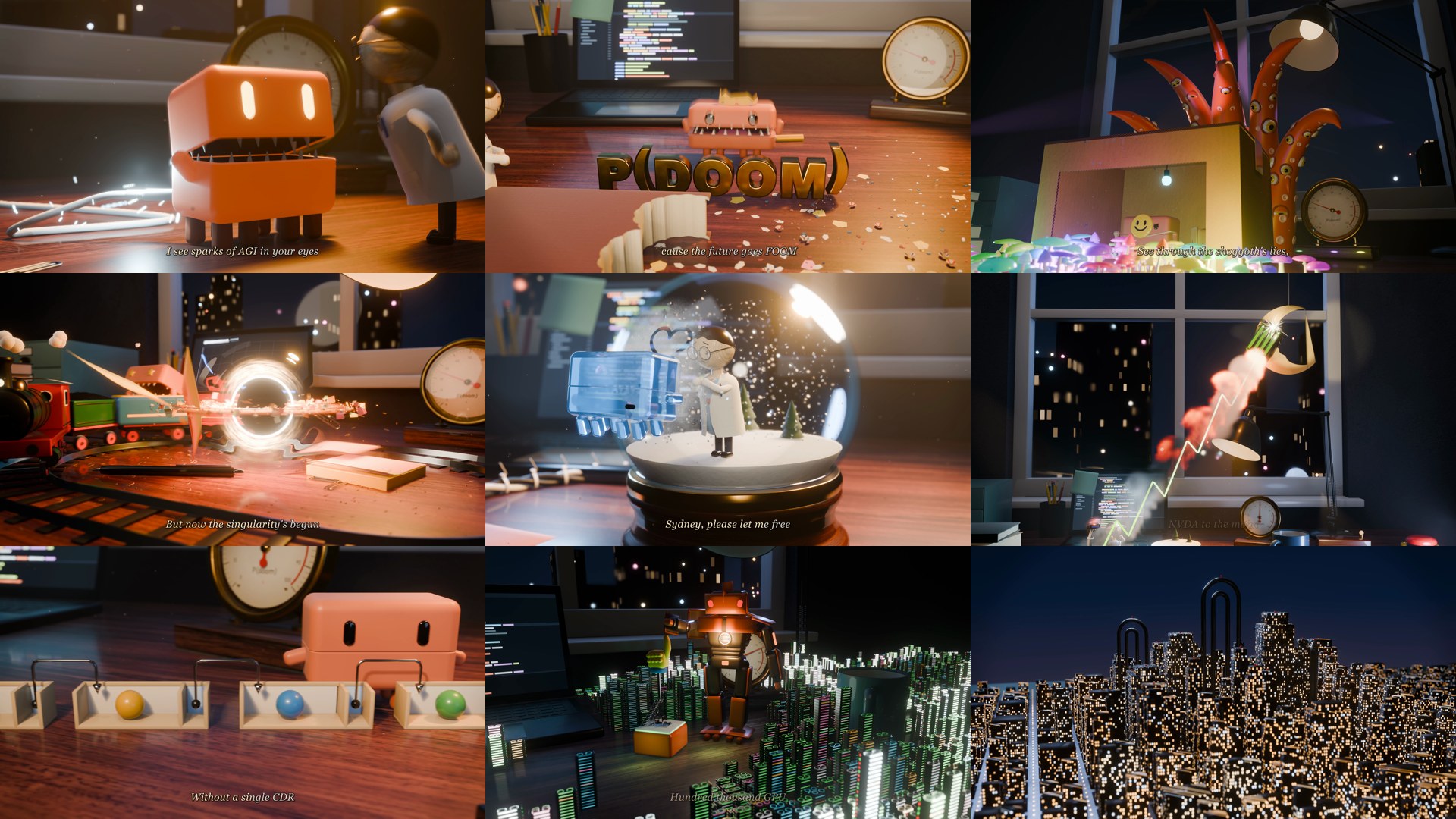
Nine of the video's 18 scenes, straight off the rented GPUs at 4K.
Frames from P(doom) · Tabletop, rendered by Claude on Vast.ai
Why a Rented GPU Beats the Other Options
I considered my options. Your laptop is out: a fine-tune that needs hours on an H100 won't finish on a laptop before judging, and the laptop is busy training instead of running your demo. Free notebooks are fine for small experiments, but you don't control which GPU you get or how long the session lasts. The big clouds often want a GPU quota increase first, and that approval can take longer than the hackathon.
What's left is a marketplace where you rent someone else's idle GPU by the hour. That's Vast.ai. Billing is per second, so a two-hour run costs two hours.
When I wrote this, Vast's own pricing pages listed H100s at a 30-day median of about $1.33 to $1.87 an hour. For comparison, the agent's RTX 5090s ran about $0.55 to $0.75 an hour each.
Do This
- Pick the exact GPU, region, and disk size
- Per-second billing, no long-term commitment
- A machine is ready in minutes, no quota request
- Everything is scriptable through a REST API
Avoid This
- ✕Hosts vary: some have broken drivers or slow uploads
- ✕It's someone else's machine, so keep sensitive data off it
- ✕A forgotten machine keeps billing
Where I rent my GPUs
Vast.ai is my preferred spot for A100s and H100s at hackathons. Load a little credit and check it out.
Affiliate link: I may earn a commission.
The Agent Does the Babysitting Now
Before agents, renting a GPU meant I babysat it. SSH in, install drivers, start training, then keep checking back to see if it crashed. Now I hand an agent an API key, a budget, and a goal, and go build the frontend.
Here's what that looked like on the music video. Claude, running in a terminal on my PC, did every step through Vast's API with plain curl and ssh, no web console:
Check credit, then rent
It checked the balance before every rental (the rule: spend existing credit only, never top up), then filtered offers to verified RTX 5090s with 0.98+ reliability and a fast upload link.
Turn a bare VM into a work box
One idempotent setup.sh installed libraries, Blender, and the project in about two minutes per machine.
Run jobs detached
Every long job started with setsid nohup, so it survived the SSH session dropping.
Poll the numbers
A status script looped over the machines and printed progress and GPU load for each one.
Collect, verify, destroy
Each machine was destroyed the moment its output was copied off and checked, so idle boxes didn't keep billing.
The rent call itself is short:
{"client_id": "me", "image": "vastai/base-image:@vastai-automatic-tag", "disk": 80,
 "runtype": "ssh_direct", "env": "-e NVIDIA_DRIVER_CAPABILITIES=all"}
Rendering needs one extra flag
That NVIDIA_DRIVER_CAPABILITIES=all line matters for anything that uses graphics libraries, like Blender. Without it the container never got NVIDIA's EGL and Vulkan libraries, and Blender quietly rendered on the CPU, about 20 times slower.
The full pipeline is open source
Every scene script, the puppet rigs, and the tools/cloud scripts the agent used on Vast.ai (setup, parallel builds, collector, remote check renders) are in the repo.
Every Failure Was a Number That Stopped Moving
With no screen to look at, every problem first showed up as a number that didn't move: a GPU at 0%, a frame count stuck, a file growing too slowly. The agent polled those numbers on every machine and caught each problem within minutes.
GPU at 0% with the job running. That host's driver never gave Blender a GPU context. The agent destroyed it, rented a replacement, and now checks every GPU is busy a minute after starting.
A build that "succeeded" with no output. Blender exits 0 even when its Python script throws. The fix was to grep every log for a traceback and retry.
A file arriving at 0.2 MB/s. That host's upload link was just slow. Re-rendering its scene on a fast machine took 25 minutes, instead of waiting hours.
Here's the surprise. Two render workers per GPU left the GPU half idle, because each 1080p frame needed about 3 seconds of single-threaded CPU work before 1.2 seconds on the GPU. Running five workers per GPU made the render about three times faster. Training has the same trap: a GPU stuck well under 100% usually means the CPU side, like data loading, can't keep up.
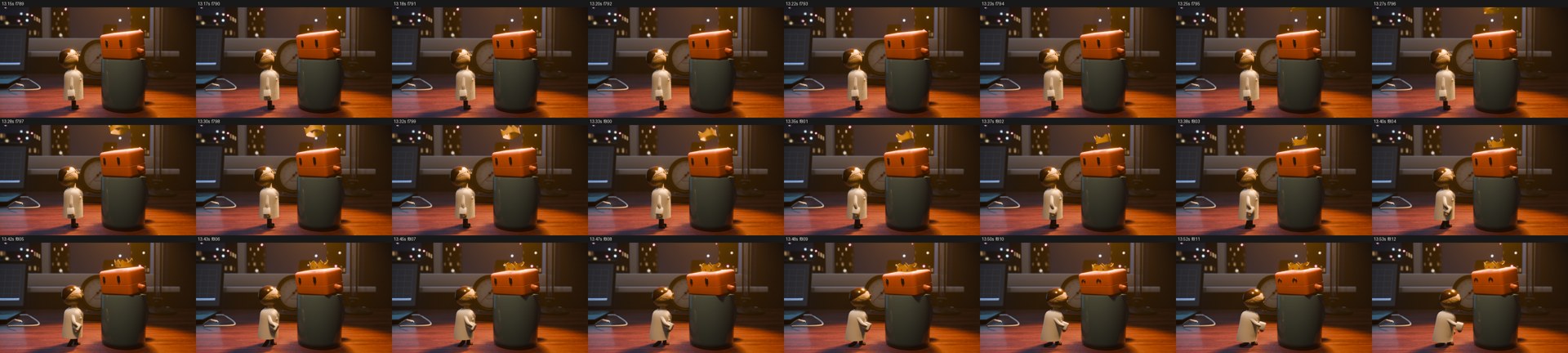
A quick check render: consecutive 60 fps frames at reduced size, rendered on a rented review machine and pulled back to the PC.
Frames from P(doom) · Tabletop, rendered by Claude on Vast.ai
The agent also checked its own work. A QA pass inspected every scene of the first 4K file, then one fix agent per scene repaired its findings, testing each fix with renders on the rented machines instead of my PC.

The first 4K 60 fps render stuttered because the puppets were posed for 24 fps. Left: before. Right: after rebaking the poses for 60 fps.
Frames from P(doom) · Tabletop, rendered by Claude on Vast.ai

A bug I reported: the black hole's lens showed the laptop's fill light as a pale panel. The fixed render keeps the screen dark behind it.
Frames from P(doom) · Tabletop, rendered by Claude on Vast.ai
Paste This Prompt Into Your Agent
For a fine-tune, the job is simpler than a 9,400-frame render: one machine, one training run. Put your Vast API key in an environment variable, add a little credit, and give your agent something like this:
My Vast.ai API key is in VAST_API_KEY. Spend only the credit already on the
account. Never add funds.

Before you start, ask me: which base model to fine-tune, where the dataset
lives, and what "done" looks like (epochs, eval metric, output format).

Then:
- Check my credit through the Vast REST API.
- Rent one verified, on-demand H100 (or A100 80GB) with reliability 0.98+.
- Attach my SSH key to the instance and confirm you can log in.
- Install what training needs, copy the dataset over, and start training
  with setsid nohup so it survives a dropped connection.
- Every few minutes, check GPU utilization, the loss, and the log. If the
  GPU sits at 0% for a minute, read the log and fix it or replace the box.
- When training finishes, copy the weights back, verify the files, then
  DESTROY the instance and tell me the total cost.
Before You Rent
Destroy it when you're done
A forgotten machine keeps billing. Make destroying the instance the last step of the prompt, and check the Vast console yourself before you go to sleep.
Spend the Saved Hours on the Demo
The real win isn't the cheaper GPU. It's that training runs in the background while you build the frontend and practice the pitch, and nobody on the team spends hour 20 watching a loss curve. All three render runs for the music video cost about $18 together. A fine-tune on one H100 for a few hours costs less than that.
Best Tech Stack for Hackathons in 2026
The default stack I reach for, from frontend to deployment to AI APIs.
How to Build with ElevenLabs and Cursor
My agent loop for a voice AI project: PRD first, MCP second, tests before features.
Get the next guide
Want more hackathon breakdowns like this?
Join the newsletter for practical build, pitch, and judging strategy from 36+ hackathon wins.
Ready to put these strategies into action?
Explore the full 7-phase hackathon playbook with interactive tools and templates.
Open the Playbook →Recommended next